%22%2F%3E%20%3Cpath%20d%3D%22M24%2C16%20L104%2C16%20L104%2C65%20C104%2C91.95%2088.8%2C105.18%2064%2C114%20C39.2%2C105.18%2024%2C91.95%2024%2C65%20Z%22%20fill%3D%22%23f4f6f9%22%2F%3E%20%3Cpath%20d%3D%22M29%2C21%20L99%2C21%20L99%2C64%20C99%2C87.65%2085.7%2C99.26%2064%2C107%20C42.3%2C99.26%2029%2C87.65%2029%2C64%20Z%22%20fill%3D%22url(%23tpS)%22%2F%3E%20%3Cpath%20d%3D%22M44%2C44%20H84%20V58%20H71%20V96%20H57%20V58%20H44%20Z%22%20fill%3D%22%23f4f6f9%22%2F%3E%20%3C%2Fsvg%3E) Trump PDF
Trump PDFTrump PDF › Sign
🔒 Files never leave your deviceSign a PDF — Your Signature Never Leaves Your Device
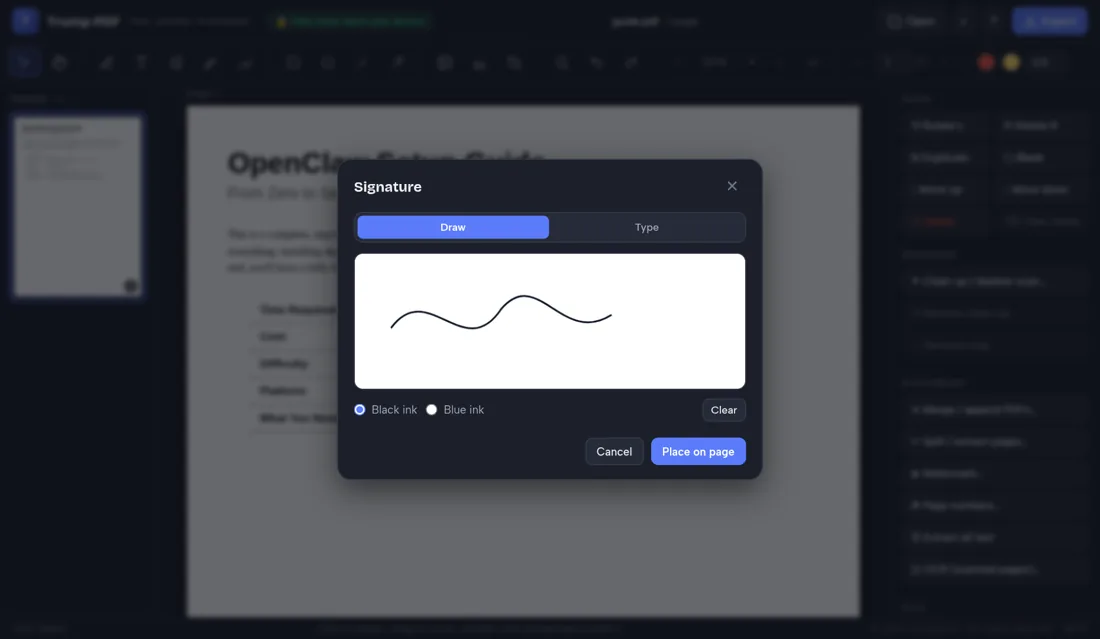
Draw your signature with a mouse, trackpad or finger, or type your name in a handwriting style, then place it anywhere on the page and resize it to fit the line. Nothing about the document or the signature is transmitted anywhere.
Free · no signup · no watermark · no file uploaded
How to sign a PDF
- Open the editor and choose the PDF you need to sign.
- Click Sign, then draw your signature or type your name.
- Click Use signature, then click where it belongs on the page.
- Drag to position it and resize with the corner handles.
- Click Export to save the signed PDF.
Draw or type your signature
The draw pad captures a smooth ink stroke and trims the empty space around it automatically, so what you place on the page is just the signature with no white box around it. Prefer typing? Enter your name and pick a handwriting style. Either way you can choose black or blue ink.
Place it precisely
After creating the signature you click where it should go, then drag it into position and pull the corners to size it against the signature line. Arrow keys nudge it a point at a time for fine alignment. Add a date or a printed name with the text tool if the form needs one.
Fill in the rest of the form too
Signing is usually only part of the job. The same editor lets you type into fields, tick boxes with the pen or shape tools, whiteout mistakes, and rewrite existing text — so you can complete an entire form and sign it in one pass.
Why local signing is the right default
A signature is a piece of biometric-adjacent personal data, usually attached to a contract you would not want a stranger reading. Uploading both to a free website is a poor trade. Here the signature is drawn, embedded and exported without a single byte being sent off your machine.
Why "no upload" matters when you sign a PDF
People usually reach for this tool while signing an NDA, a tenancy agreement or an employment contract. Nearly every free PDF website handles that by uploading your file to a server, processing it there and deleting it at some later point you cannot verify — which means both the contract and an image of your signature has been copied onto infrastructure belonging to a company you know nothing about, together with your IP address and the file name.
Trump PDF takes the upload out of the equation. The whole editor is a single page of code that runs in your browser, and every operation — editing text, compressing, merging, OCR, export — happens on your own processor. You do not have to take our word for it: open your browser's developer tools, switch to the Network tab, and use the editor. You will see requests that download the application, and no request that sends your document anywhere.
Frequently asked questions
Is a signature added this way legally valid?
In many jurisdictions a clear intent to sign an electronic document is recognised, but rules vary and some documents require a certificate-based digital signature or a witness. Check the requirements that apply to your document and location.
Can I reuse the same signature on several pages?
Yes. Place it once, then copy and paste it with Ctrl+C and Ctrl+V onto other pages.
Is my signature stored anywhere?
No. It exists only in your browser for the duration of the session and is embedded into the file you export.
Can I sign on a phone or tablet?
Yes — drawing with a finger or stylus works, and the layout adapts to smaller screens.